The complete guide to running a modern recruitment agency with AI-powered software. Every screen. Every button. Every workflow — explained with real screenshots from a live admin panel.
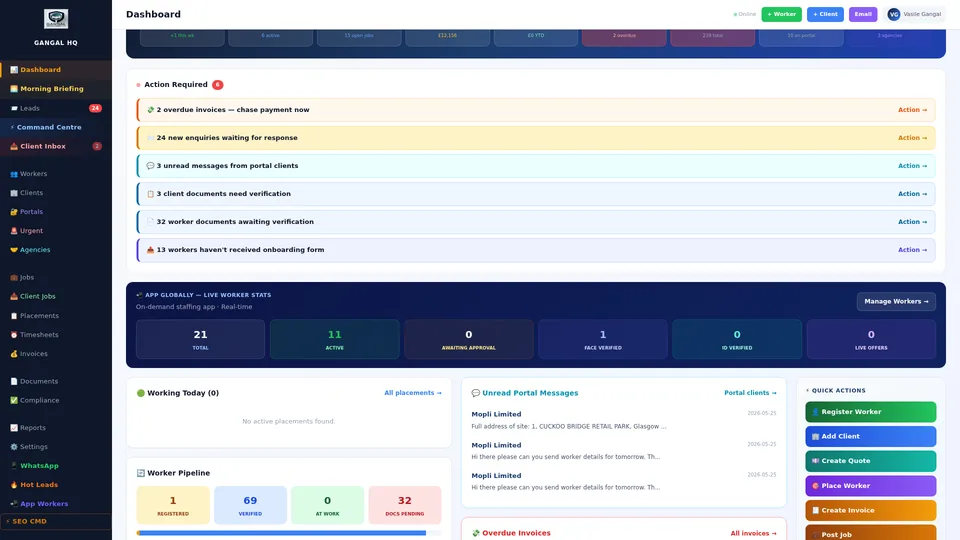
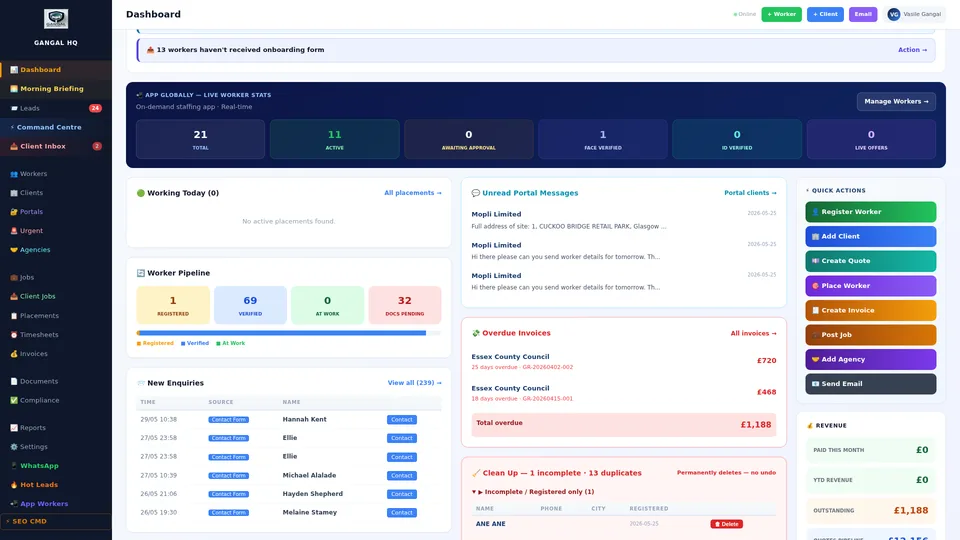
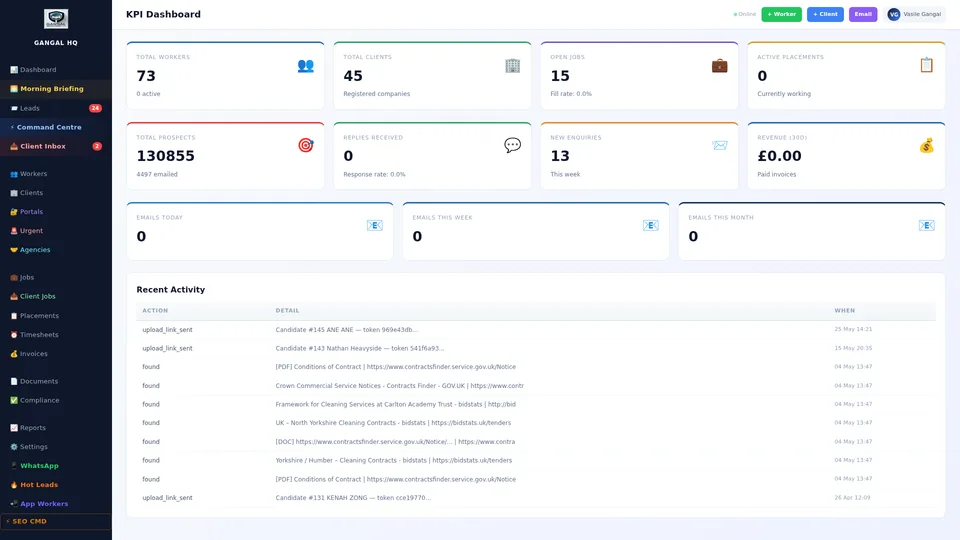
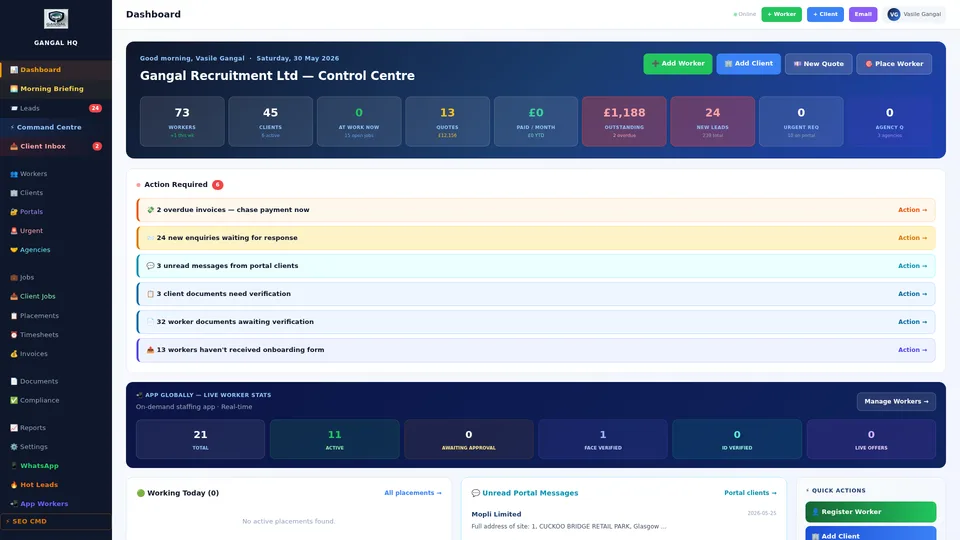
Start Free — No Contract →The moment you open the platform, your dashboard shows you the live state of your entire recruitment agency. There is nothing to load, nothing to refresh — every number is live, every metric is updated in real time.
At the very top, you see your most critical numbers right now: today's revenue against your monthly target, the number of workers currently on placement, and a count of pending actions that need your attention — documents awaiting approval, unconfirmed shifts, overdue invoices.
Below the headline numbers, the KPI panel gives you a deeper performance picture: your placement rate, the average time it takes from a client request to a confirmed worker on site, your AWR compliance status, and your invoice payment rate. Every metric has a trend arrow — up or down — so you know at a glance whether performance is improving or needs attention.
At the bottom, the live activity feed logs every single action happening across your business in real time. New worker registration submitted. Document approved. Shift confirmed. Invoice sent. WhatsApp message received. The activity feed means you always know what is happening in your business — even when you are not the one doing it.
Why this matters: Most agency directors spend 30–45 minutes every morning piecing together the current state of their business from emails, spreadsheets, and phone calls. The dashboard delivers the complete picture the moment you open your laptop — before you have made a single phone call.
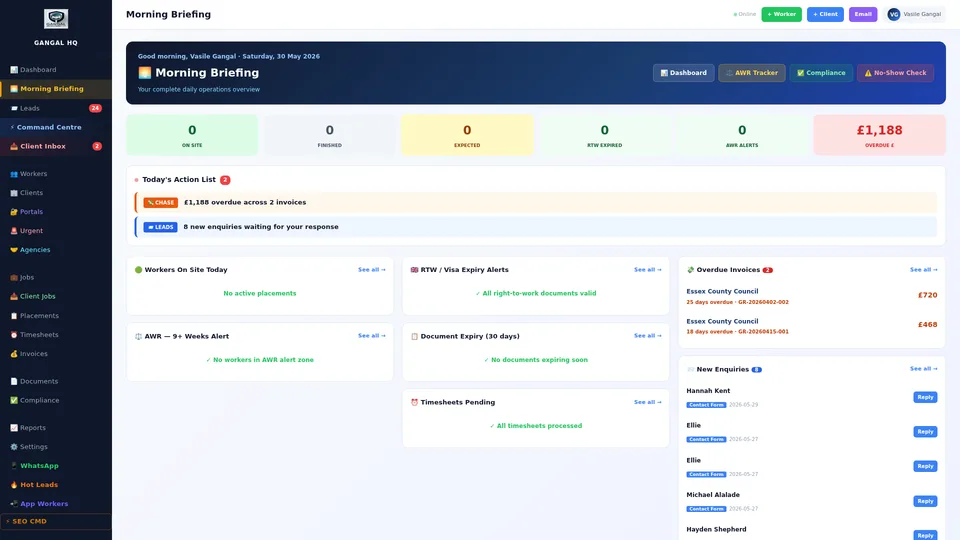
Every night, while your agency is closed, the AI reads your entire business. Every worker record. Every client account. Every document expiry date. Every open shift. Every overdue invoice. Every cold prospect in your pipeline.
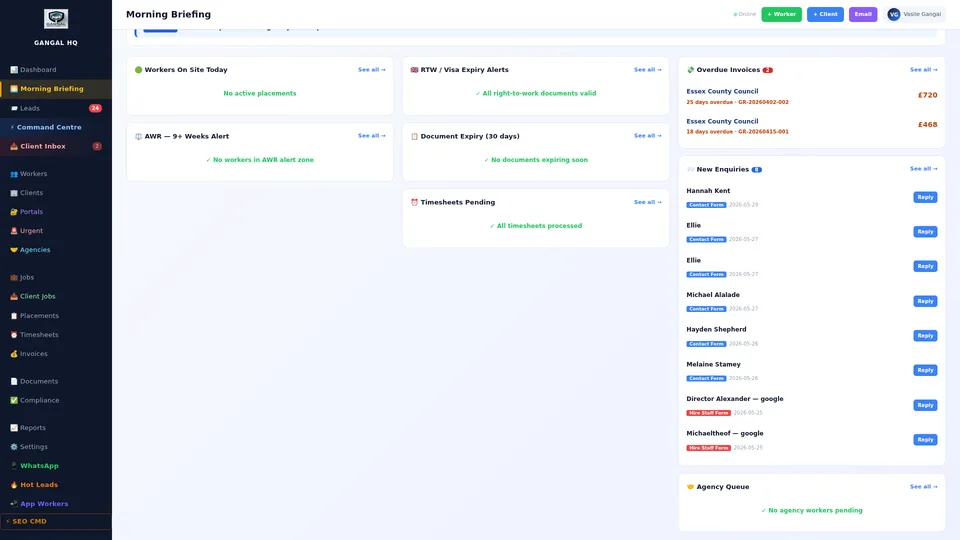
By 7am, the Morning Briefing is ready — a ranked list of exactly what needs your attention today, in order of urgency and revenue impact. Not a generic notification. A personalised operational brief, generated from your actual data.
You will see things like: three workers have documents expiring in the next seven days — with their names and which documents. Client ABC has not been contacted in 14 days — with their last order value. Two shifts tomorrow are still unconfirmed — with the client site and start time. Every item is a direct link to the relevant record so you can act immediately.
The result: you start every day knowing exactly what to do first. No missed document renewals. No dropped client relationships. No unconfirmed shifts discovered the morning of. No excuses for operational failures.
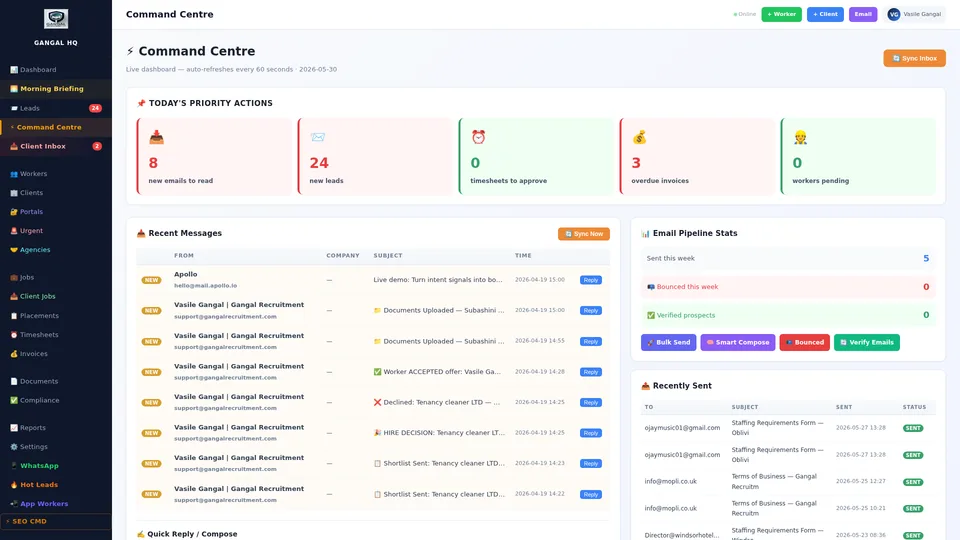
The Command Centre is designed for whoever runs day-to-day operations at your agency — your operations manager, your senior coordinator, or you. It shows every active operation simultaneously on a single screen, with every action available in one click.
On the left panel: every worker currently on a confirmed shift, with site name, start time, and any live notes. You can see at a glance if anyone is late, if a supervisor has flagged an issue, or if a shift has ended early.
In the centre panel: your pending action queue. Documents submitted and awaiting approval. Client messages that have not been replied to. Worker registrations awaiting review. Timesheet submissions waiting approval. Every pending item listed by time received, oldest first.
On the right panel: escalated alerts. Anything the system has flagged as urgent rises automatically — an expired document on a live placement, a shift with no confirmed worker in 24 hours, an overdue invoice past its chase deadline. Every alert is clickable and resolves the issue directly.
The key advantage: Your operations team can manage the entire agency from a single screen without navigating between different modules. Average response time to client messages drops from hours to minutes. Nothing is ever missed because it was buried in a separate inbox or module.
Traditionally, registering a new worker took 15–20 minutes of manual data entry. A worker messages you their CV on WhatsApp. You open it, read it, type their name, phone number, address, employment history, and skills into your system one field at a time.
With the AI CV Parser, this takes 30 seconds. Paste the CV text, or upload the PDF or Word document. The AI reads it and extracts every piece of information: full name, contact number, home address, employment history, job titles, skills, qualifications, certifications, and references. It pre-fills the entire worker registration form automatically.
You review the extracted data, make any corrections needed, and click Save. The worker is registered. Their compliance checklist is generated. Their AWR week count begins. They appear in your searchable worker database ready for placement — all from a single WhatsApp message in under a minute.
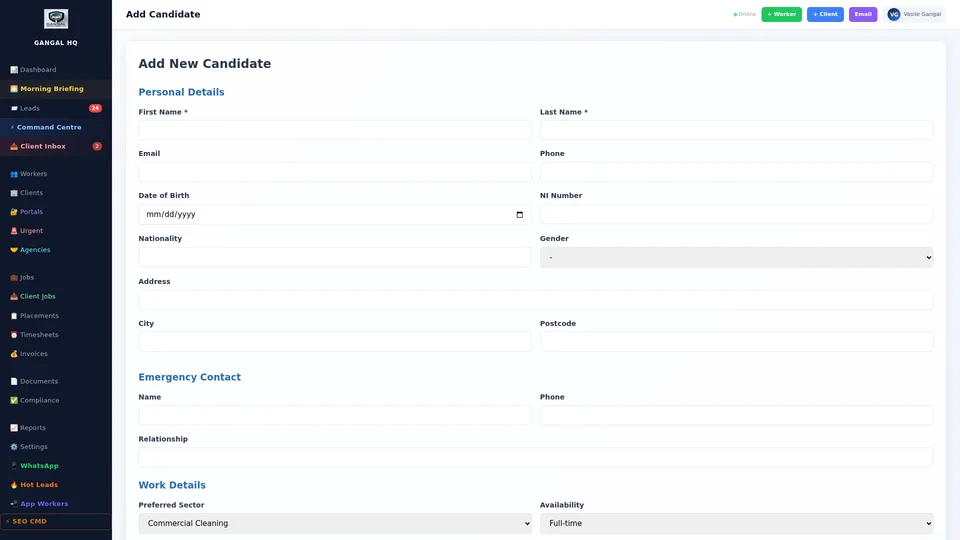
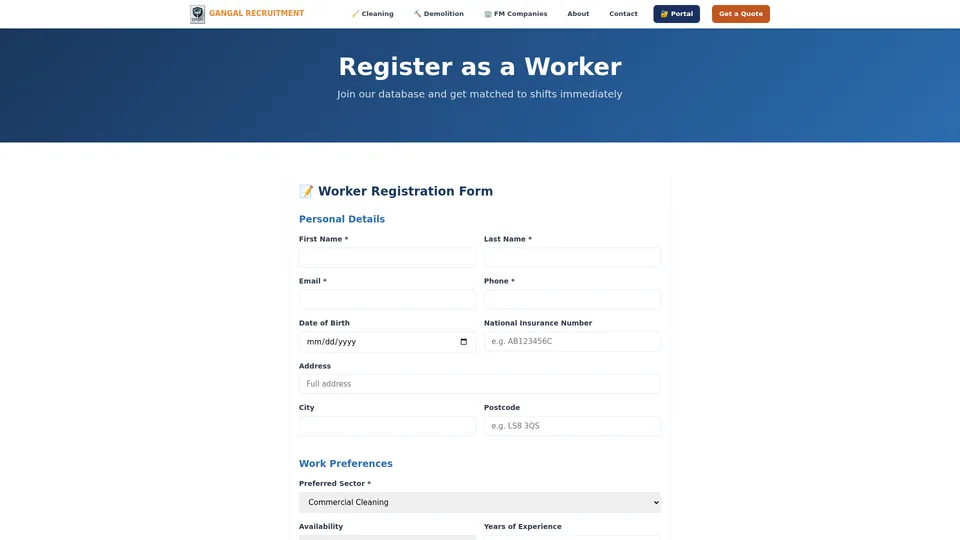
After the AI CV Parser pre-fills the basic information, the Worker Registration Form captures everything else needed to legally employ and place a worker. The form is structured into clear sections — each one feeding directly into the compliance checklist and AWR tracker.
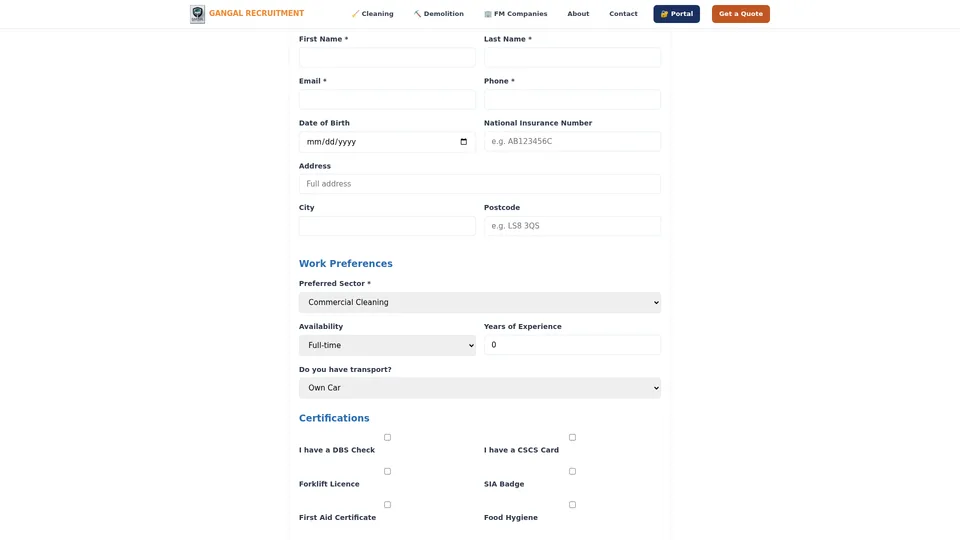
The form covers: personal and contact details, right-to-work status and document type (passport, biometric residence permit, share code), bank details for payroll, emergency contact, sector preferences and geographic availability, pay rate agreement, and health and safety declarations.
Workers can complete the registration themselves on any device through the worker portal — they receive a link by WhatsApp or email, fill in the form, upload their documents, and sign the registration declaration. The admin receives an instant notification. No printing. No scanning. No paper files ever.
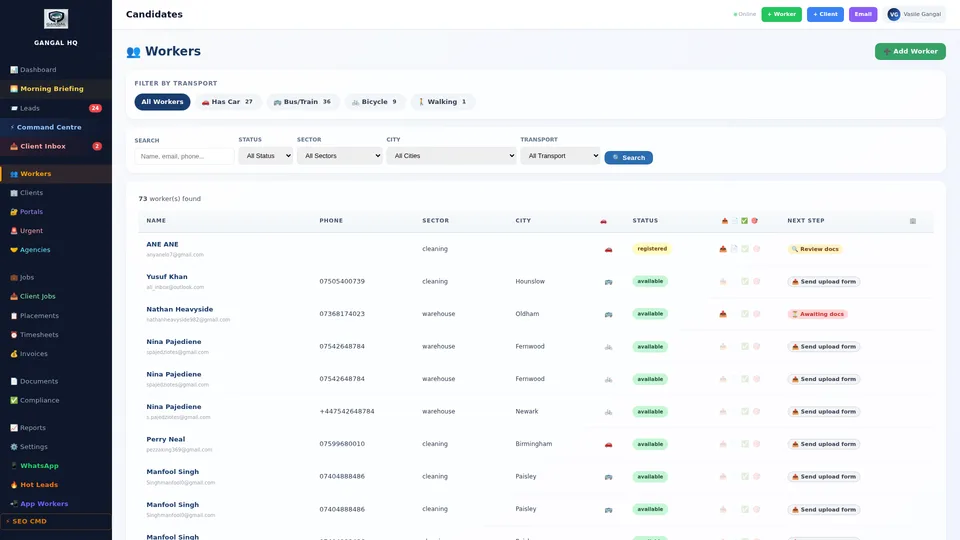
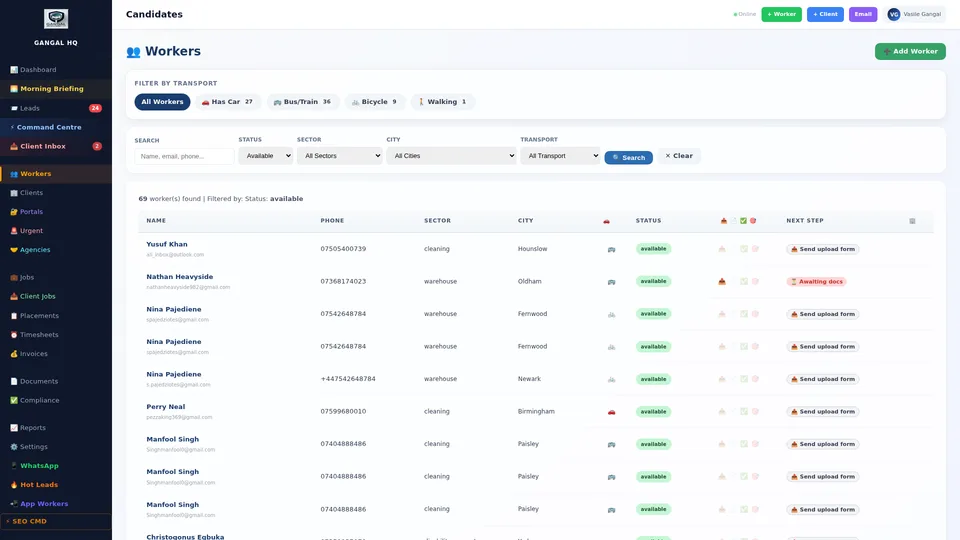
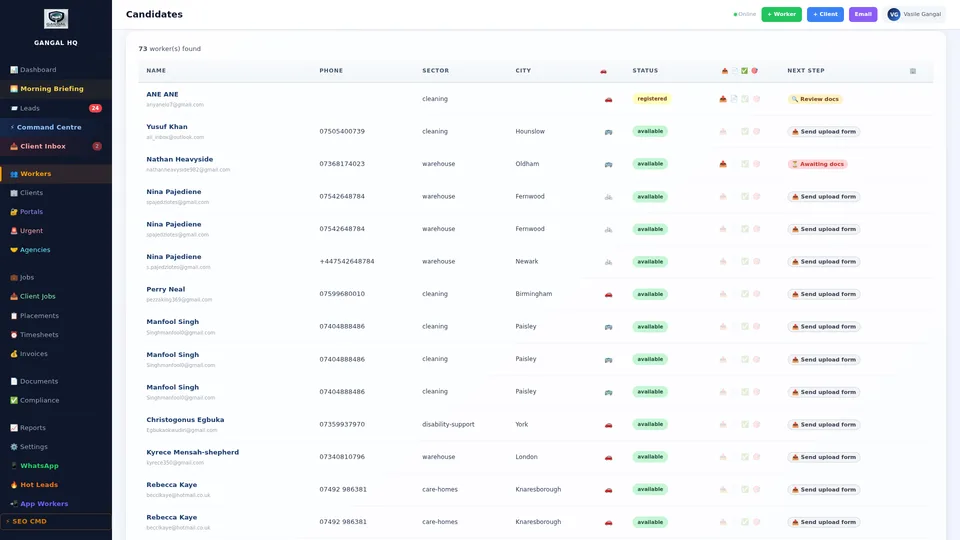
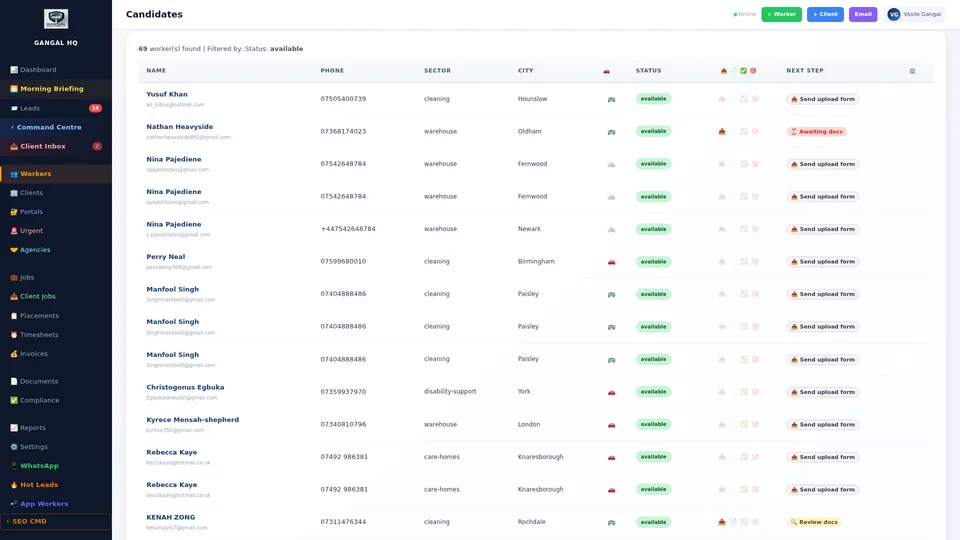
The Worker Database is a live, searchable, filterable record of every worker your agency has ever registered. Whether you have 10 workers or 10,000, the database gives you instant access to whoever you need, with their full compliance status visible without clicking into any individual profile.
Each row in the database shows: worker name, their primary sector and skills, their compliance RAG status (green = fully clear, amber = action needed, red = do not place), their current placement status (placed / available), their AWR week count, and the date of last contact.
The filter system is the most powerful part. Filter by sector, by location, by availability, by compliance status, by specific skill, by AWR week count, or by any combination. When a client calls needing three forklift operators for a warehouse in Leeds starting Monday, you filter by forklift certification, Leeds location, fully compliant, and available — and your shortlist appears in seconds.
Click any worker in the database to open their full profile — a complete digital file containing everything the agency holds on that individual. This replaces the paper file, the shared drive folder, the spreadsheet row, and the WhatsApp scroll-back combined.
The profile shows: all personal and contact details, their complete document vault with every uploaded file and its approval status, the full compliance checklist with RAG status per requirement, their placement history showing every client they have worked for with dates and feedback, all WhatsApp message threads with the agency, their pay rate history including any AWR uplifts applied, and all admin notes.
Every document in the vault can be viewed full-screen, downloaded, or replaced when renewed. Expiry dates are tracked per document — and the system calculates and shows exactly how many days remain on each one.
Compliance benefit: When an auditor or client asks for evidence of right-to-work and certification for a specific worker, you open the profile and download everything in one click. No filing cabinet. No shared drive hunt. Full audit trail of who approved what and when.
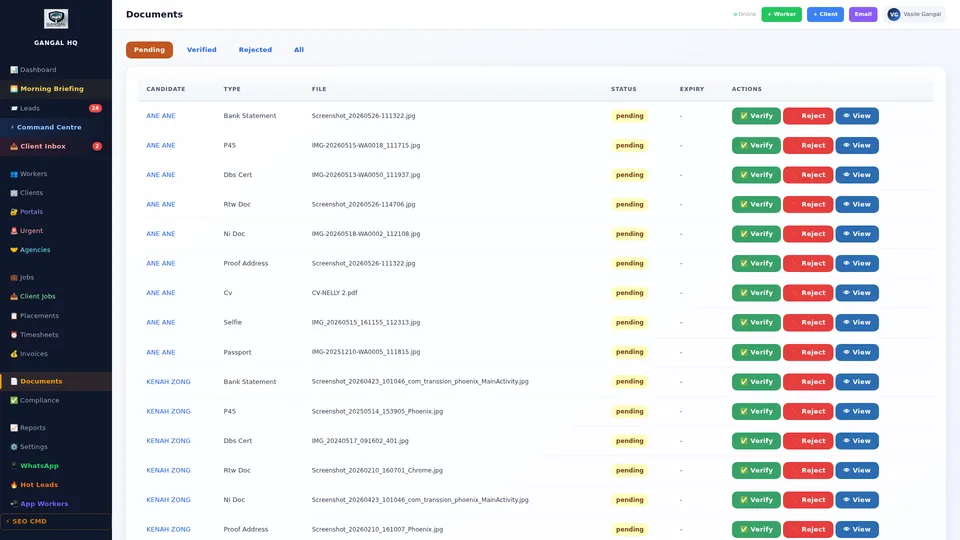
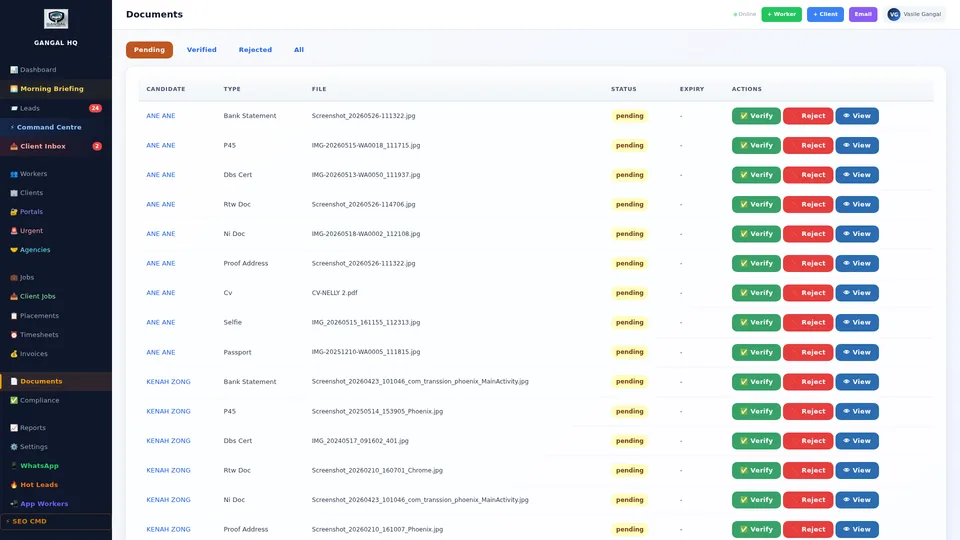
Workers submit documents through the mobile app or worker portal. Every submission — passport scan, NI card, proof of address, bank statement, right-to-work share code, training certificate, DBS check — lands in the Document Approval Queue.
The queue shows the document type, the worker it belongs to, and a thumbnail preview — so you can review the document without opening a separate window. Click the thumbnail for a full-screen view. Approve with one click or reject with a typed reason — the worker is automatically notified either way and can resubmit immediately if rejected.
Every approval is logged with a timestamp and the admin user who approved it, creating a complete audit trail. If a document is later questioned — by a client, by HMRC, or by a compliance auditor — the log shows exactly who verified it and when.
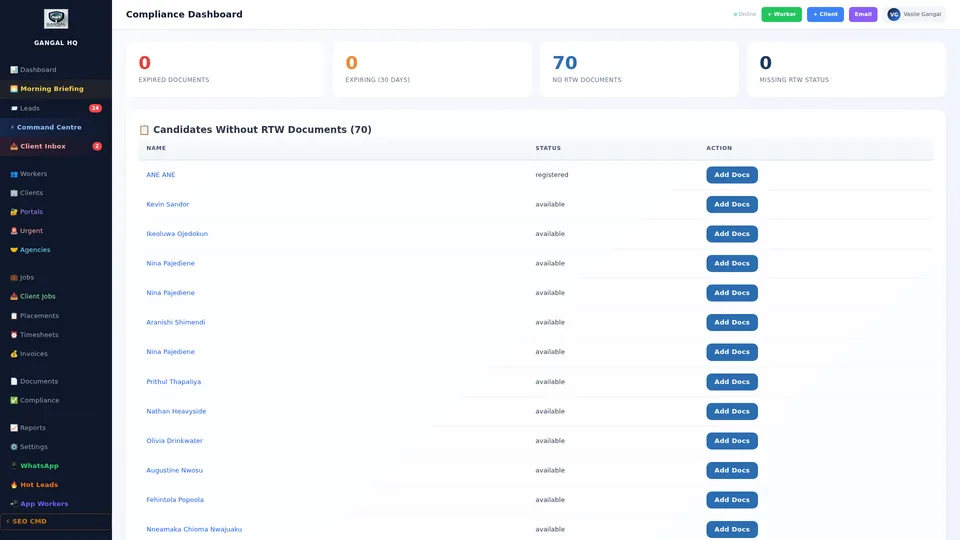
UK recruitment compliance is not optional — and it is not just a legal formality. Placing a worker with an expired right-to-work document, an unsigned health and safety declaration, or a lapsed DBS check creates direct legal and financial liability for your agency.
The Compliance Tracker maintains a live checklist for every worker in your database. The checklist is configured by sector — a construction worker has different requirements than a food production operative. The platform knows what is required for each sector and tracks it automatically.
The RAG system is unambiguous: Red means do not place this worker under any circumstances. Amber means documents are approaching renewal and action is needed within 30 days. Green means fully compliant and clear to place. You can filter the entire workforce by RAG status instantly — see all red workers in one click, take action, and clear the risk.
Legal protection: The system prevents placement of red-status workers at the system level — not just with a warning. If a worker is red, they cannot be assigned to a shift until compliance is resolved. Your agency is protected even if a coordinator makes a mistake.
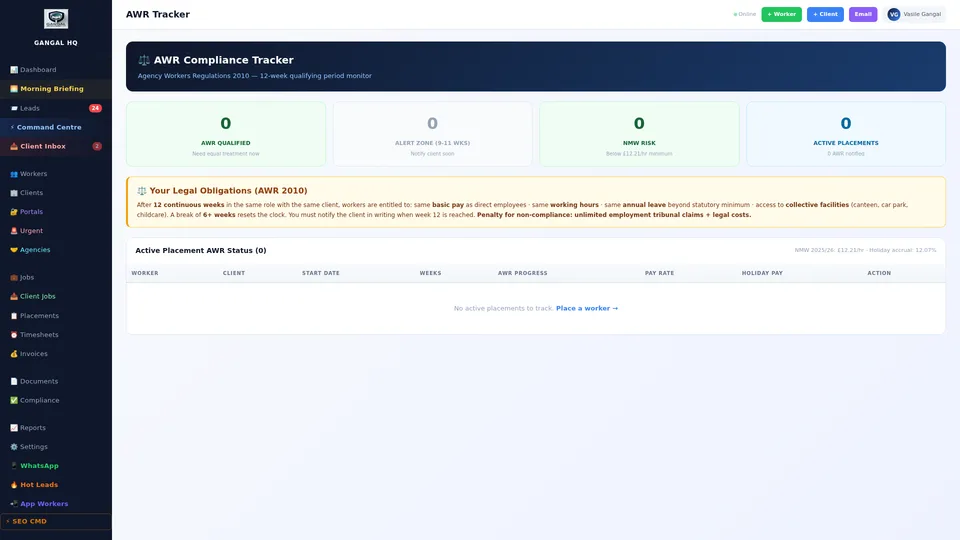
The Agency Workers Regulations give workers placed for 12 or more continuous weeks with the same client the right to equal pay and conditions as comparable permanent employees. This is one of the most commonly misunderstood — and most commonly breached — compliance requirements in UK labour recruitment.
The AWR Tracker solves this completely. Every placement automatically starts a week counter. The tracker shows every active placement, how many weeks each worker has accumulated with that specific client, and how many weeks remain before the 12-week threshold triggers.
At week 10, the system flags the placement on the Morning Briefing and sends an internal alert — giving you two weeks to either rotate the worker, negotiate with the client on equal pay terms, or take whatever commercial action is appropriate. At week 12, the equal pay obligation activates automatically and is logged.
Growing your client list used to mean hours of manual research: searching Companies House, Google Maps, and LinkedIn for businesses in your target sector. Finding a contact name. Trying to find an email address. Writing an individual email for each one. Then doing it all over again for the next prospect.
Business Development Intelligence eliminates this entirely. You enter a target sector — commercial cleaning, demolition, warehouse logistics, manufacturing — and a target area — a postcode, city, or radius. The AI searches Companies House data and business databases.
For each business found, it pulls: registered company name and number, estimated company size from financials, director names, and finds the most likely contact email address. It then generates a personalised outreach email for each business, referencing their specific sector, location, and company name — not a generic template.
Every prospect is loaded automatically into your Hot Leads pipeline. You go from idea to 200 personalised emails ready to send in under 5 minutes. While your competitors are doing this by hand, you are already on to your next sector or city.
Real result: A new agency entering a city market can identify and contact every relevant business in their target sector within a single morning. Most established agencies that adopt this tool double their outbound prospecting volume in the first week.
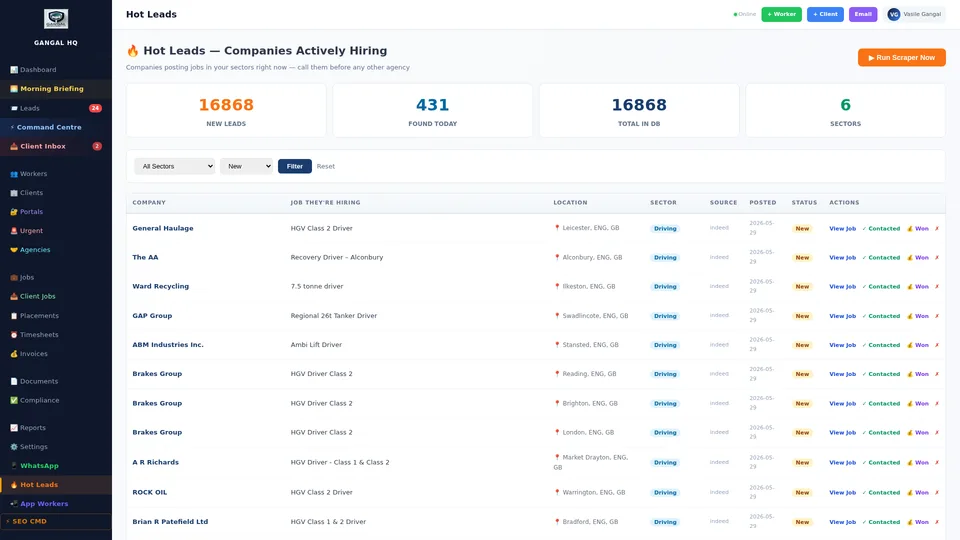
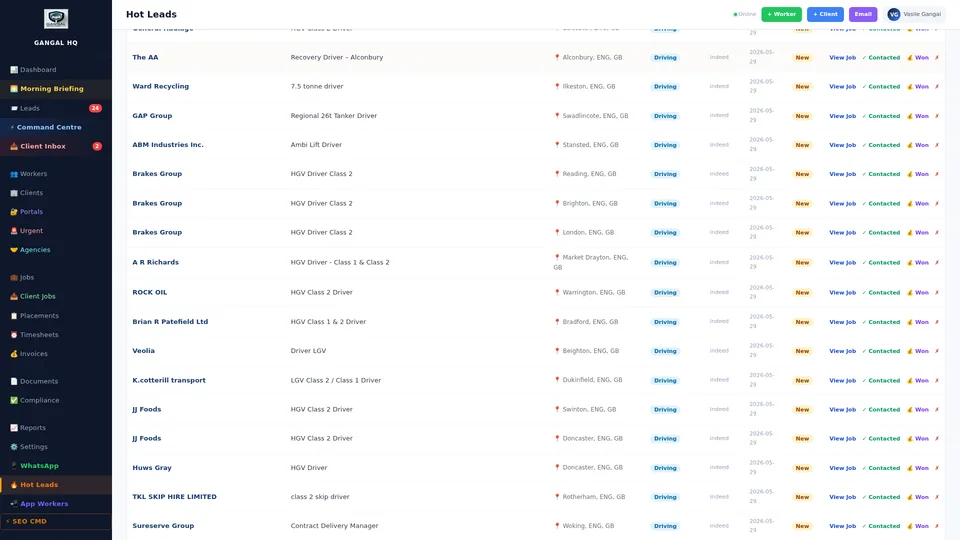
Every business that might become a client — whether found by the Business Development Intel tool, referred by an existing client, or that enquired through your website — is a Hot Lead. The Hot Leads Pipeline tracks them all through the sales process with a visual, stage-based CRM.
Leads move through clearly defined stages: New → Contacted → Quoted → Negotiating → Won → Lost. Each card shows the company name, sector, estimated size, date of last contact, and the next action due. Overdue follow-ups are highlighted automatically.
Click any lead card to see the full contact history, all previous messages, any notes from calls, and the current proposed terms. The AI generates a follow-up email and a WhatsApp message ready to send with one click — personalised to where the prospect is in the pipeline and their last interaction.
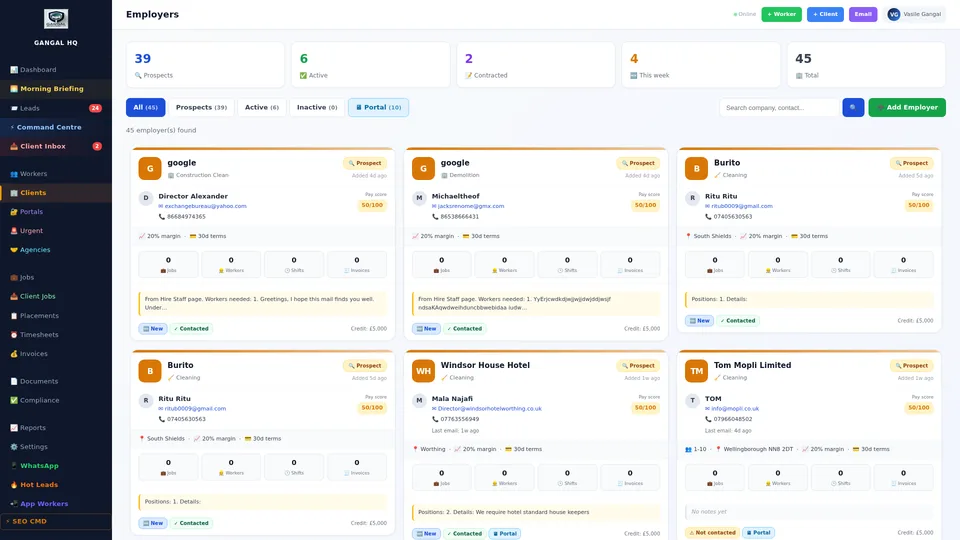
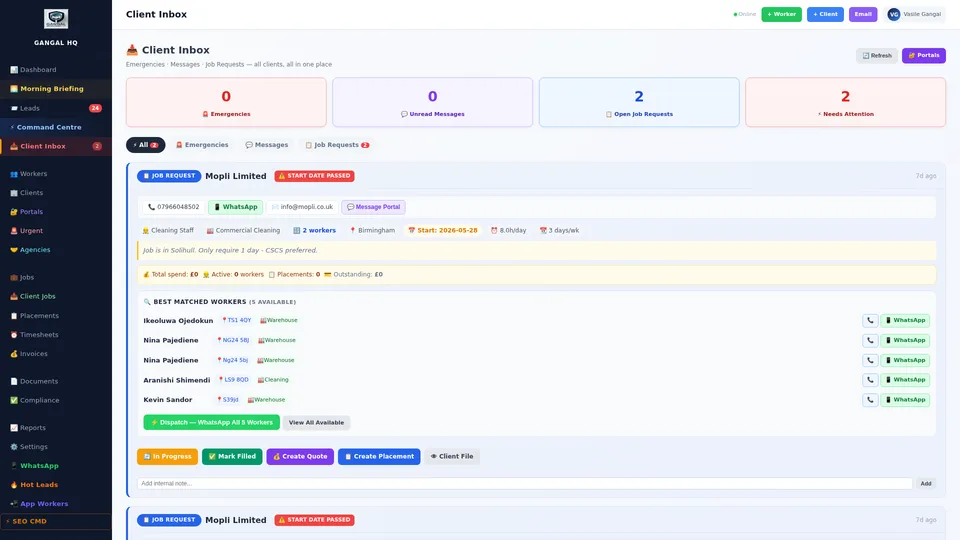
Once a prospect becomes a client, they get a full Client Profile — a complete record of everything about that business relationship. Not just a contact entry, but a living operational record connected to every placement, invoice, timesheet, message, and contract associated with that client.
The profile includes: company details and registered address, all site locations with addresses and supervisor contacts, the agreed charge rates by role and sector, all active and past placements with worker names and dates, the full invoice history with payment status, and every WhatsApp message thread.
The client scorecard at the top of the profile shows at a glance: total revenue from this client, average fill rate (how often they request and you deliver), average timesheet approval speed, average invoice payment speed, and their overall satisfaction rating from placement feedback. This tells you instantly which clients are your most valuable and which have operational friction.
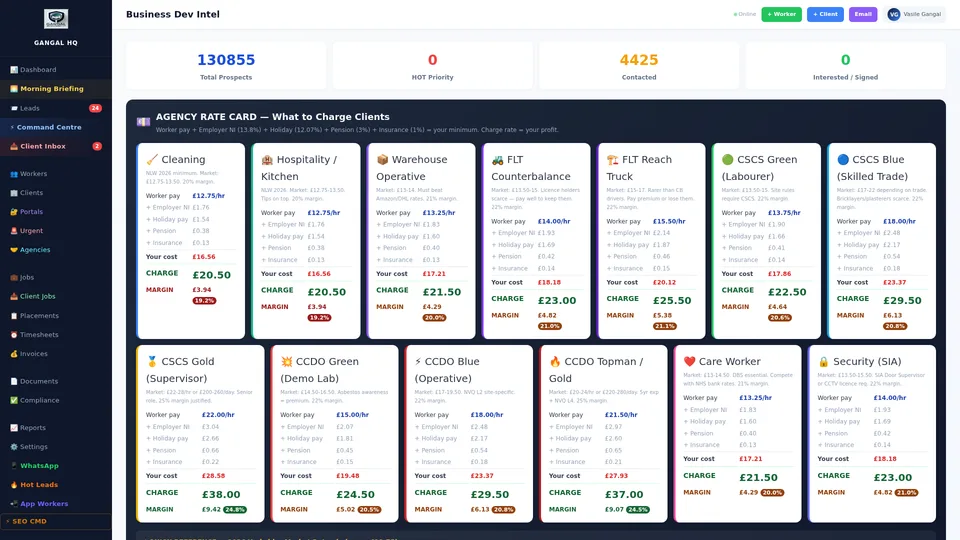
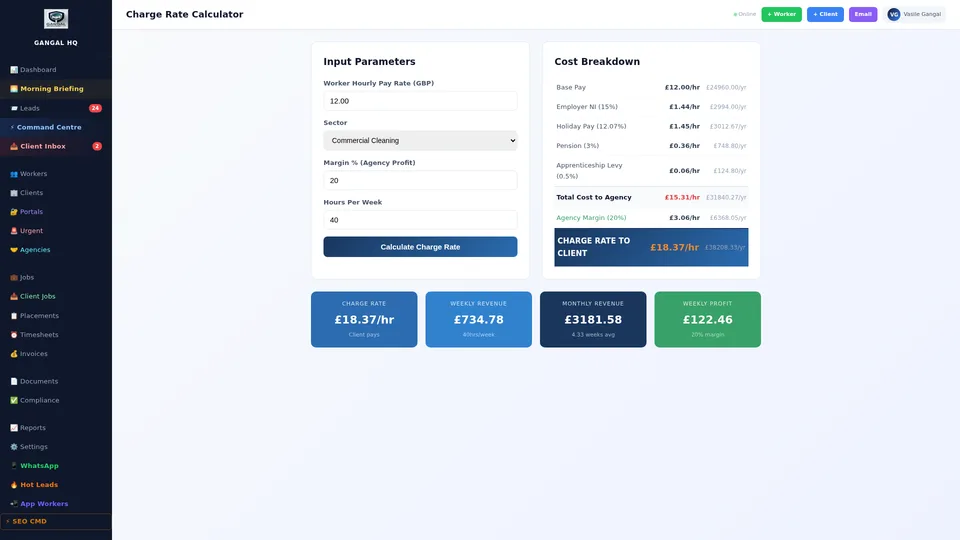
One of the most common errors in recruitment agency management is pricing jobs incorrectly — either too low (cutting margin to near zero when employer NI and holiday pay are factored in) or too high (losing the business to a cheaper competitor).
The Charge Rate Calculator shows you the exact profitability of any proposed rate before you quote it to a client. Enter the pay rate and your desired margin. The calculator shows: employer National Insurance contribution, holiday pay accrual (12.07%), gross margin in pounds, margin as a percentage of charge, and the resulting charge rate to the client.
You can adjust the margin slider in real time and see all numbers update instantly — so you can find the sweet spot between competitive pricing and sustainable profitability. When multiple roles are required at different pay rates, model each one and compare side by side before you send a proposal.
Commercial impact: Agencies that understand their true cost per worker and price correctly typically operate at 18–24% gross margin. Agencies that guess or use rough multipliers often discover they are working at 8–12% — or even at a loss on some contracts. This tool removes all guesswork.
When a client requests workers for a shift, the traditional process is: coordinator goes through a mental list of available workers, makes calls or sends WhatsApp messages, waits for responses, negotiates, confirms. For an experienced coordinator this takes 20–30 minutes per shift. For a new hire, it can take an hour or more — with the risk of placing the wrong worker.
Smart Matching does this in seconds. Enter the required skill or role, the client site, the date and time, and the number of workers needed. The AI instantly scans the entire available worker pool and ranks every eligible worker by a multi-factor match score.
The match score weighs: skill and certification match (exact match vs. partial), distance from site (travel time, not just miles), AWR week count (prioritises workers further from the 12-week threshold for regular clients), previous client rating (workers rated highly by this client rank higher), and compliance status (only fully compliant workers appear unless overridden). The top-ranked workers appear as a shortlist. Confirm one with a single click.
Time saving: A typical agency filling 50 shifts per week spends 20–40 hours on manual matching. Smart Matching reduces this to under 2 hours — freeing your team to focus on business development, client relationships, and growing the agency.
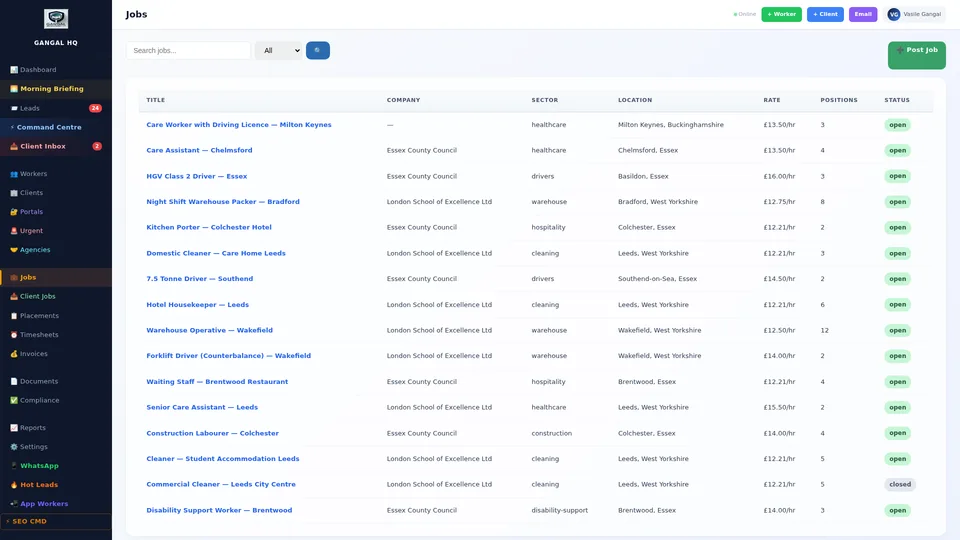
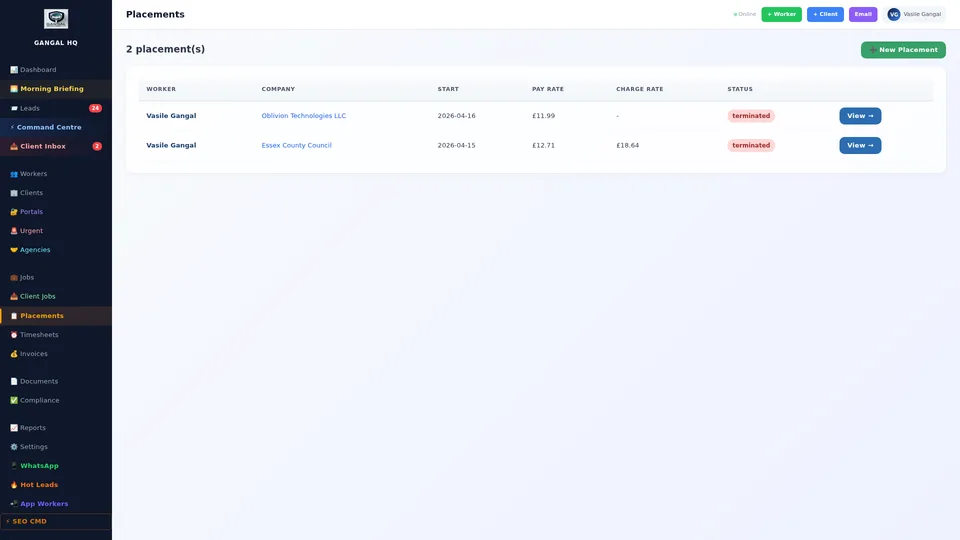
Every worker-to-client assignment is tracked in two ways: as a Job (the open requirement from the client) and as a Placement (the confirmed assignment of a specific worker to fill that job).
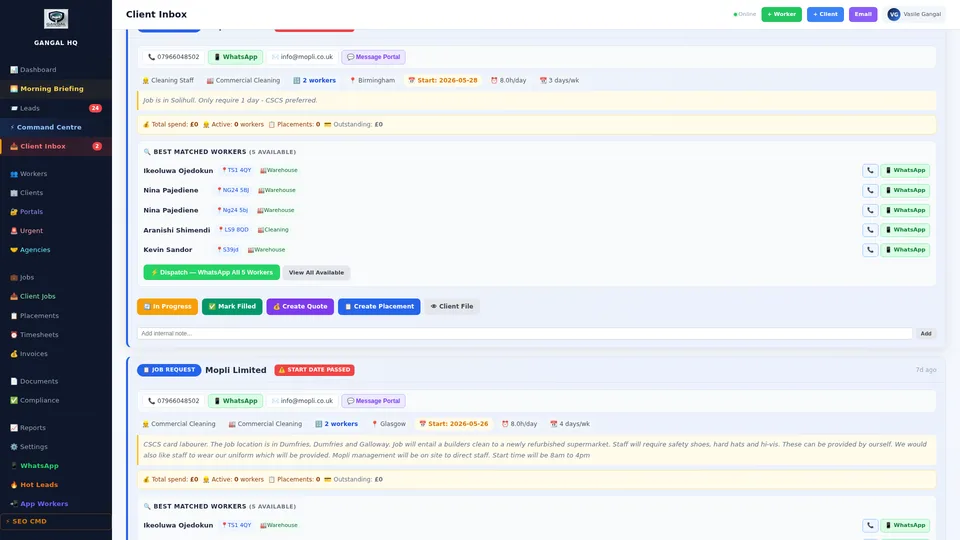
A Job is created when a client requests workers: sector, role, site location, number needed, start date, agreed pay rate. Jobs can be one-off (a single shift) or ongoing (a regular supply arrangement). The job board shows all open jobs and their fill status — how many positions are confirmed vs. still unfilled.
A Placement is the confirmed record of a specific worker on a specific assignment: worker name, client site, start date, agreed rates, and AWR week count starting from zero. Timesheets are generated automatically for each active placement. When the placement ends, you record the reason and the client rates the worker — that rating feeds into future Smart Matching scores.
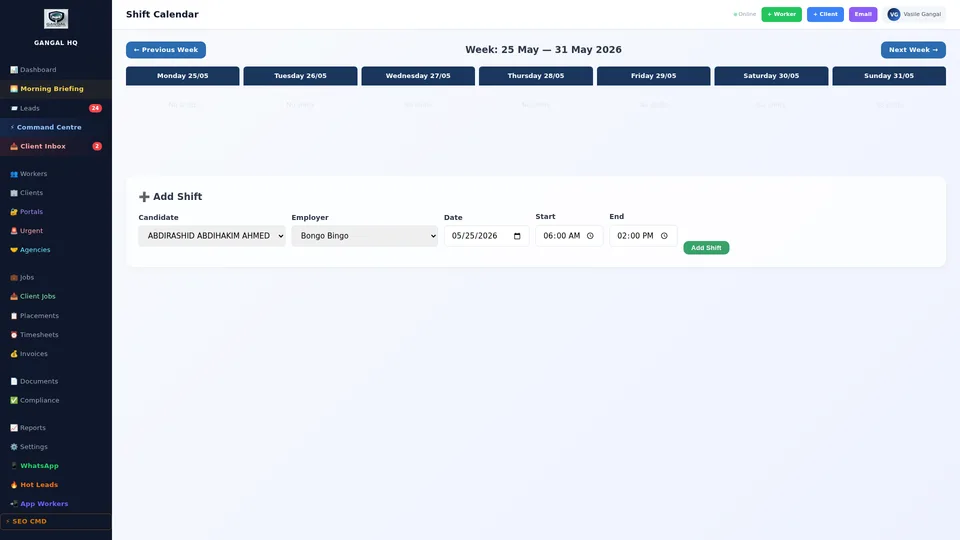
Individual shifts are scheduled with the specific details of each work session: the client site, the date, start time and end time, the workers confirmed for that shift, any special instructions for the site, and the supervisor contact details.
When a shift is created, every assigned worker receives an instant WhatsApp notification with the full details — site address, start time, who to report to, and any specific instructions. Workers confirm or decline via a reply link. Confirmation status updates in real time on the shift record.
Shifts with unconfirmed workers 24 hours before start are automatically flagged on the Morning Briefing and the Command Centre — giving you time to find a replacement before the shift starts, not after a no-show call at 6am. This single feature eliminates the most common operational failure in temp recruitment.
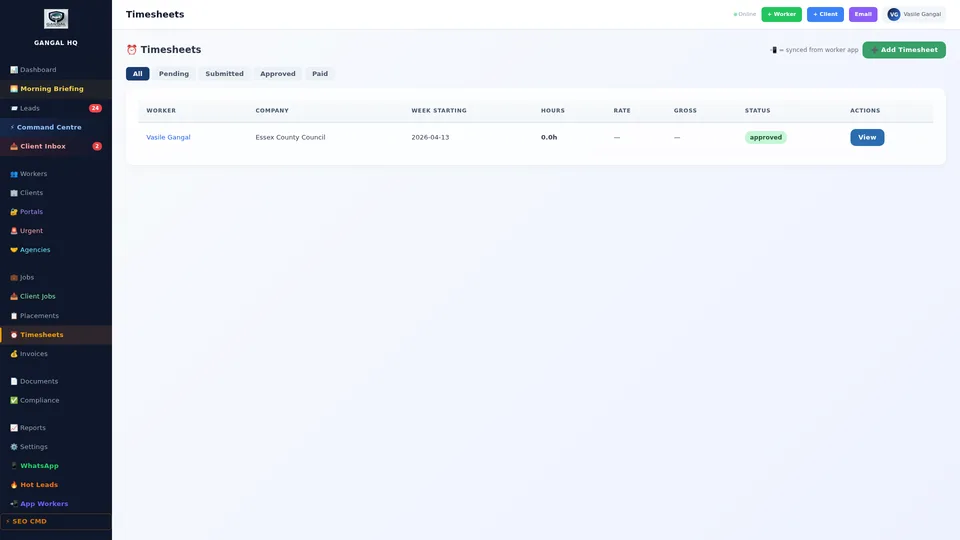
Workers submit their hours through the mobile app or worker portal at the end of each shift — no paper, no WhatsApp screenshots, no spreadsheets. Each submission shows the client site, shift start and end time, break duration, and optionally a supervisor's digital sign-off.
The admin reviews each submission and approves with one click. The system automatically applies the correct overtime rates: standard rate for regular hours, time and a half for evenings and Saturdays, double time for Sundays and bank holidays — all configured to your agency's rate card and the client's contract.
You can approve individual timesheets or bulk-approve an entire week for a specific site or client in one action. Approved timesheets immediately calculate the invoice amount at the correct client charge rate and queue for invoicing. The entire weekly payroll and invoicing cycle — which at many agencies takes a full working day — now takes under 30 minutes.
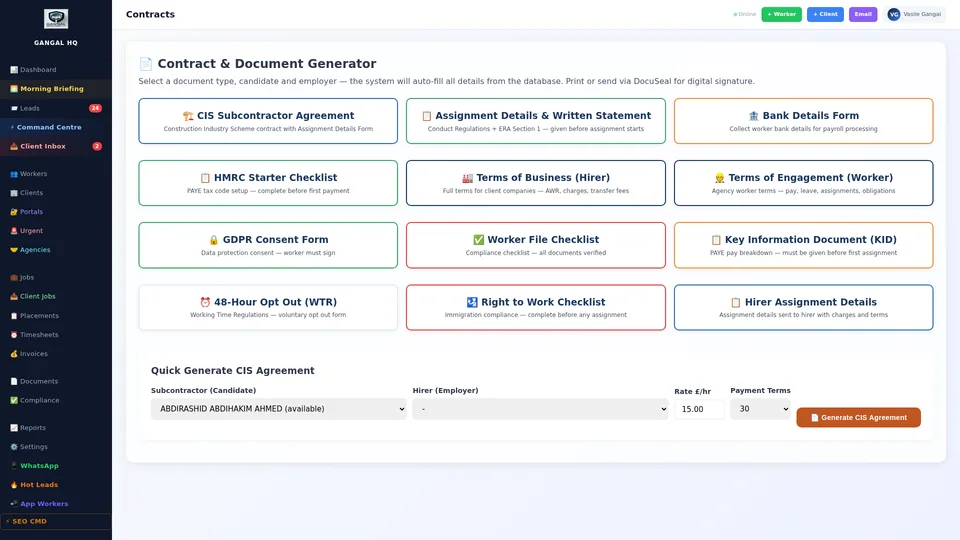
Every client relationship should be governed by a signed contract. The Contracts module stores every agreement — the agreed charge rates, payment terms (7, 14, or 30 days), notice periods, and renewal date. Contract terms drive the rates used in timesheet calculations and invoice generation automatically, so there are never errors in billing.
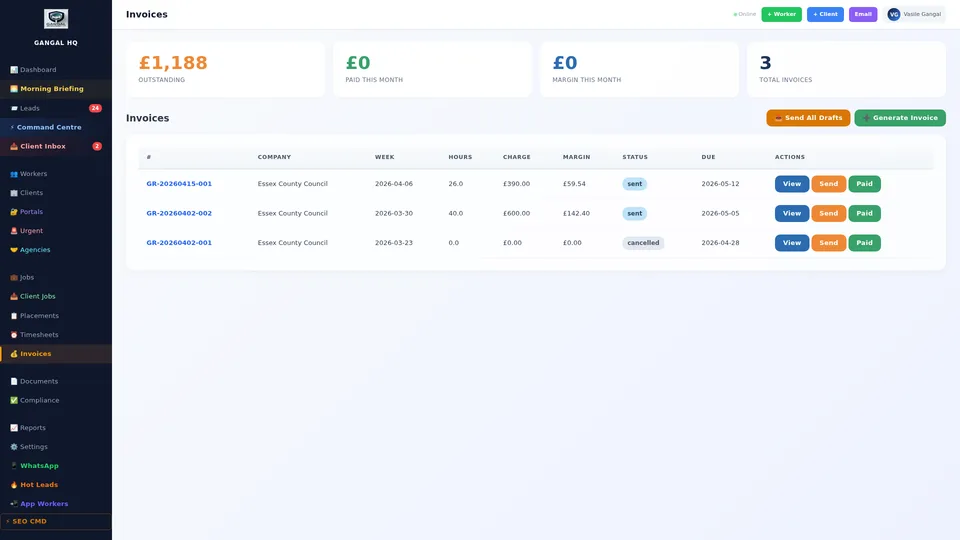
When timesheets are approved, invoices are generated automatically at the correct charge rate specified in the contract. Each invoice includes: the agency branded header, the client details, an itemised breakdown by worker and shift, the total amount, payment due date, and bank payment details. Professional format — ready to send immediately.
The invoice management screen shows every invoice: draft, sent, viewed (client has opened it), overdue, and paid. Overdue invoices are highlighted red with the number of days past due. One-click reminder sends a professional chase email and logs it against the client record. Export all invoices for any period to your accounting software in one click.
The majority of communication between recruitment agencies and their clients and workers happens on WhatsApp — not email. Shift requests, availability confirmations, document submissions, timesheet queries, complaints, new requirements: all on WhatsApp.
The problem is that when these messages live on personal phones, they are invisible to the rest of the team, they disappear when someone leaves, and they create no audit trail. The WhatsApp CRM solves this completely.
Every WhatsApp message sent to your business number appears in a central inbox in the admin panel. Every team member can see every thread. Any team member can reply — and the reply comes from the business WhatsApp number, not a personal phone. Message threads are automatically linked to the client or worker profile. The complete history of every conversation is stored permanently, searchable, and auditable.
Operational benefit: When a client sends a shift request at 7pm on a Friday and the usual coordinator is unavailable, any team member sees it in the inbox and can respond immediately. No message is ever missed because it was on one person's phone. Nothing falls between the business and one individual's device.
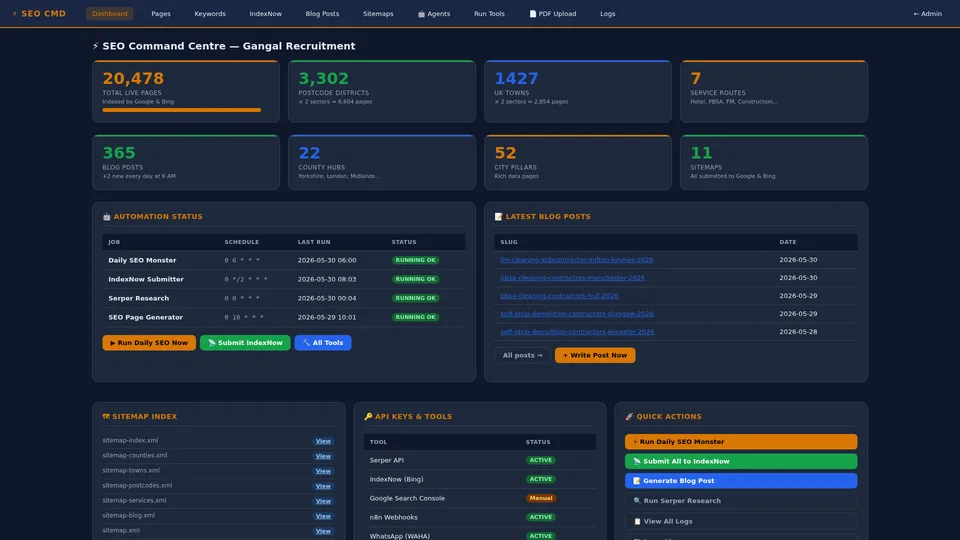
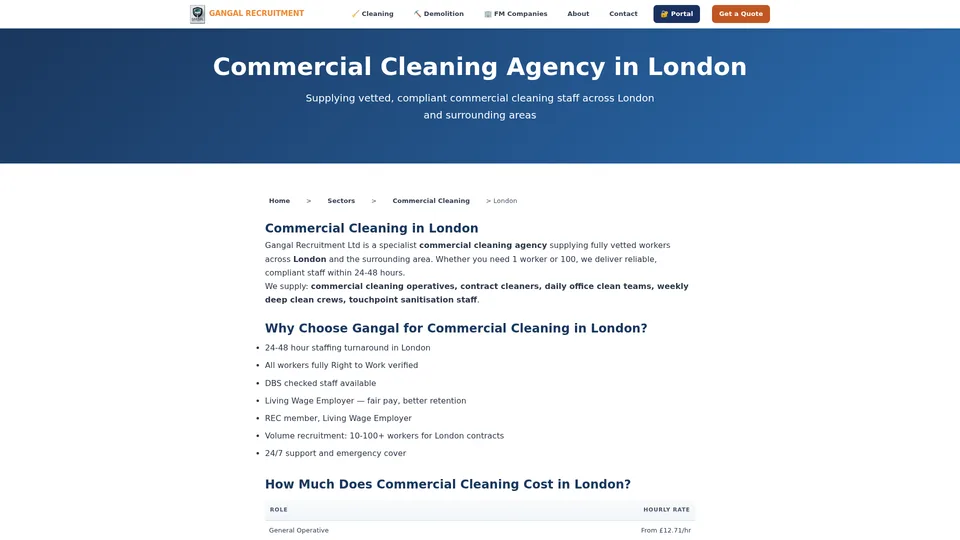
Most recruitment agencies spend thousands every month on job boards — Indeed, Reed, Totaljobs, LinkedIn — to find workers, and thousands more on Google Ads or direct sales to find clients. This platform generates free inbound traffic from Google search — workers and clients finding you, not you chasing them.
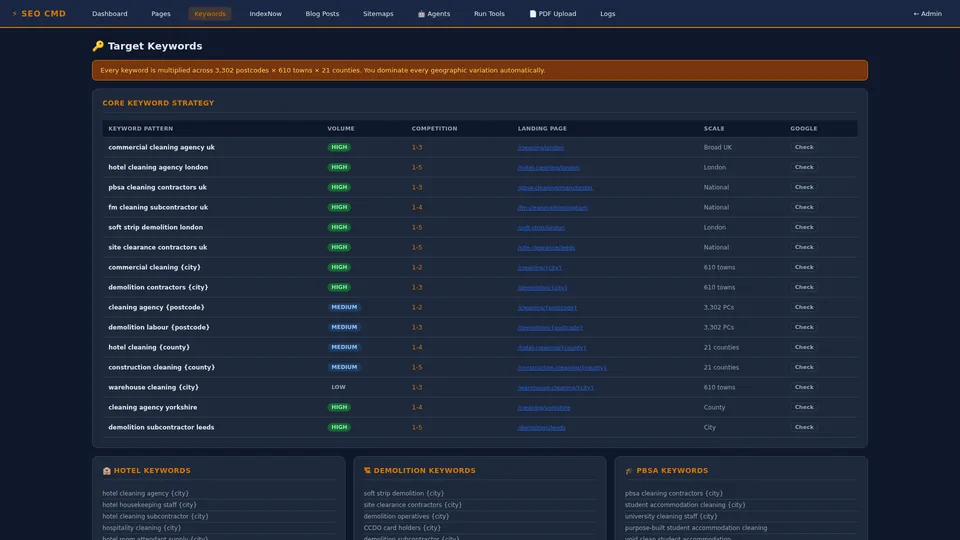
The SEO Command Centre gives you full visibility of your Google search ranking for every target keyword. You see your current position for searches like "commercial cleaning agency London", "warehouse staff Birmingham", "demolition labour Manchester", and hundreds of others — updated daily. The keyword research section shows search volume and competition level so you can identify the highest-value opportunities to target next.
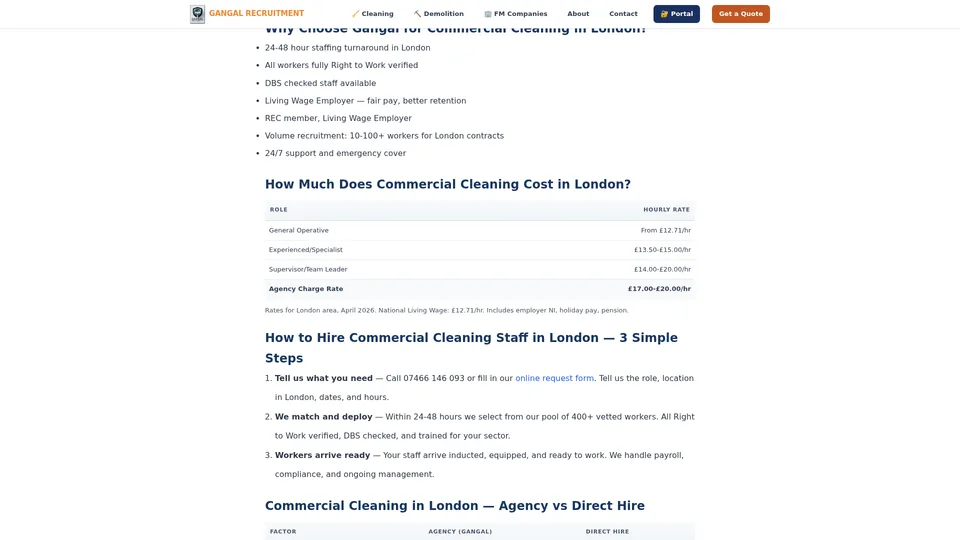
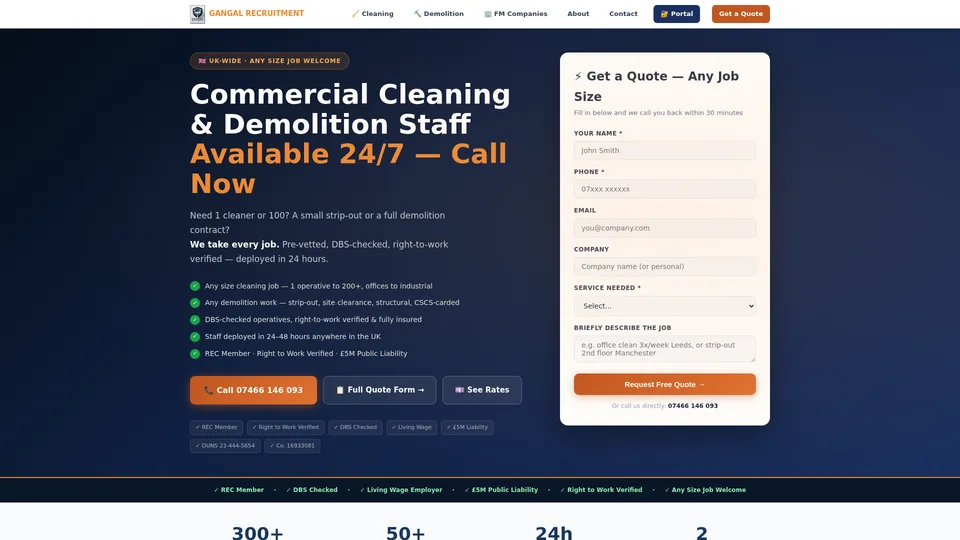
The most powerful feature is the auto-generated SEO landing pages. For every combination of city and sector — Commercial Cleaning London, Warehouse Operatives Manchester, Construction Labour Birmingham — the system generates a dedicated, unique SEO-optimised page with local content, schema markup, and a contact form that sends enquiries directly into your admin panel as leads.
Five hundred pages ranking on Google generates inbound leads every day with zero ongoing cost. While competitors pay per click on job boards and ad networks, your website is a lead generation machine running on autopilot — and the advantage compounds over time as your rankings grow. This is a competitive moat that takes years for a competitor to replicate.
The KPI Dashboard is designed for the agency director and for investors. It answers the question every board member and stakeholder asks: is this business performing? Six key metrics, all live, all with trend arrows.
Time to fill: average hours from client request to confirmed worker on site. Placement rate: percentage of your registered workers currently placed. Worker retention: percentage staying beyond 12 weeks — your quality indicator. Revenue per head: total revenue divided by active workers — your efficiency metric. Client satisfaction: average rating from client feedback. Month-on-month revenue growth versus your target.
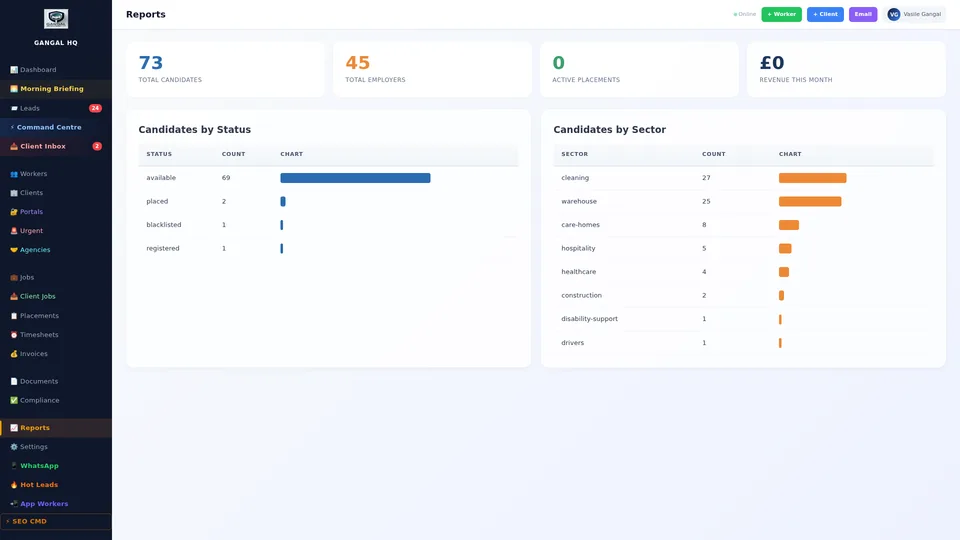
The Reports module goes deeper: revenue by client, by sector, and by month; placements by quarter; fill speed trends; invoice payment analysis; compliance pass rate; worker retention by sector. Any report downloads as a professional branded PDF or exports to CSV in one click. Schedule any report to arrive in your inbox every Monday morning automatically — board-level reporting without a finance team.
This is the final level. Not a feature. Not a plan upgrade. A separate, exclusive infrastructure product owned entirely by Oblivion Technologies LLC — and available for acquisition by serious investors and enterprise groups.
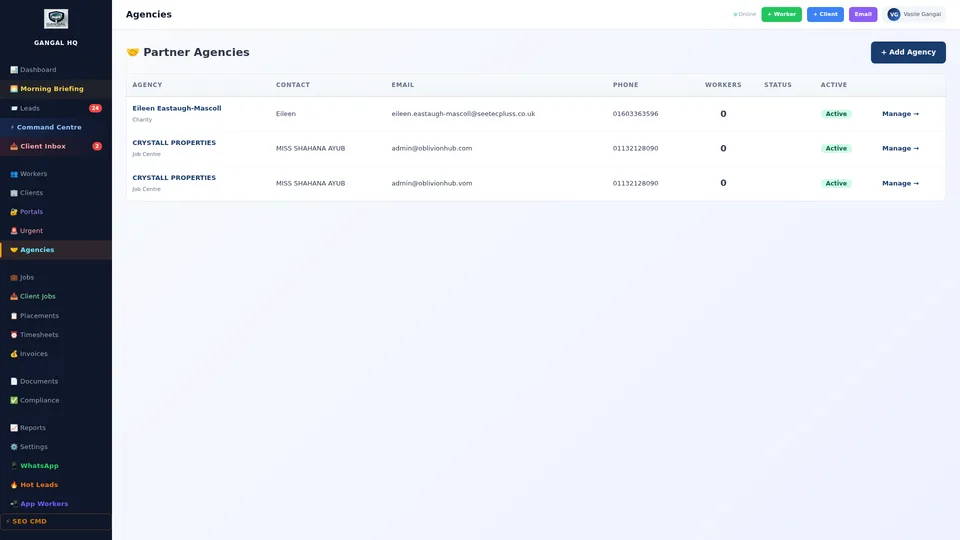
The multi-tenant infrastructure allows a buyer to run unlimited recruitment agencies on one private, fully isolated platform — each agency with its own branding, domain, workers, clients, invoices, and WhatsApp number. No agency can see another. The buyer owns and controls everything from a single super-admin panel.
This technology took years to build. No competitor offers it. No third party sells it. It exists nowhere else.
Two acquisition tiers: $10,000,000 — full white-label platform licence, source code, remote setup. $20,000,000 — everything above plus a dedicated high-spec server, enterprise-grade storage, multiple NVIDIA GPUs for AI processing, on-site physical installation by our engineering team, and 6 months of full training. Contact us privately to enquire.